
In today’s digital age, computers have become an indispensable part of our lives. From simple tasks like browsing the internet and checking emails to complex activities like video editing and software development, computers have revolutionized the way we work, communicate, and entertain ourselves. But have you ever wondered how these machines actually work? Or how you can optimize your computer’s performance to get the most out of it? In this article, we’ll delve into the world of computers, exploring the basics, hardware, software, and maintenance, to help you unlock the full potential of your digital device.
Introduction to Computer Basics
Before we dive into the nitty-gritty of computers, let’s start with the basics. A computer is essentially a device that takes in input, processes it, and produces output. This process is made possible by the interaction of several key components, including the central processing unit (CPU), memory (RAM), and storage devices (hard drives or solid-state drives). The CPU, also known as the brain of the computer, executes instructions and performs calculations, while the RAM provides temporary storage for data and applications. Storage devices, on the other hand, hold your operating system, programs, and files. Understanding these fundamental components is crucial for troubleshooting and optimizing your computer’s performance.
When it comes to choosing a computer, there are several factors to consider, including the type of processor, amount of RAM, and storage capacity. For example, if you’re a gamer or video editor, you’ll want a computer with a high-performance processor, ample RAM, and a fast storage drive. On the other hand, if you’re a casual user who only needs to browse the internet and check emails, a budget-friendly option with a lower-end processor and less RAM may suffice. By understanding your needs and the capabilities of different computer components, you can make informed decisions when purchasing or upgrading your device.
Hardware and Components
When it comes to computer hardware, there are several key components that work together to provide a seamless user experience. The CPU, as mentioned earlier, is the brain of the computer, responsible for executing instructions and performing calculations. Other essential components include the motherboard, power supply, graphics card, and sound card. The motherboard acts as the main circuit board, connecting all the hardware components together, while the power supply provides the necessary power to run the system. Graphics cards, on the other hand, handle visual processing, making them essential for gamers and graphics designers. Sound cards, as the name suggests, are responsible for audio processing, providing high-quality sound output.
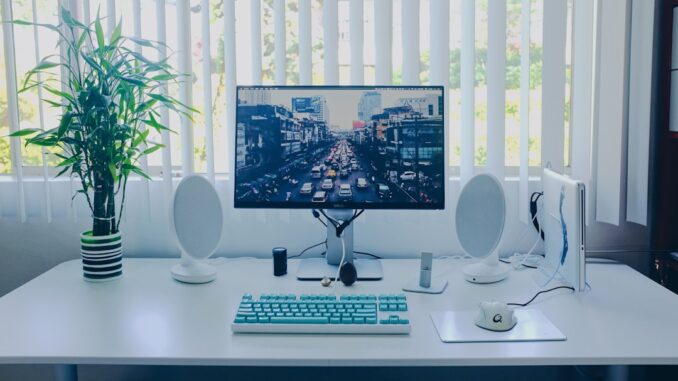
In addition to these core components, there are several other hardware devices that can enhance your computer experience. For example, a high-quality monitor can provide crisp and clear visuals, while a comfortable keyboard and mouse can improve typing and navigation. External hard drives and solid-state drives can provide additional storage capacity, while a reliable router and modem can ensure fast and stable internet connectivity. By understanding the different hardware components and devices available, you can create a customized computer setup that meets your specific needs and preferences.
Software and Operating Systems
While hardware provides the foundation for your computer, software is what brings it to life. An operating system (OS) is the software that manages computer hardware resources and provides a platform for running applications. Popular operating systems include Windows, macOS, and Linux, each with its own unique features and advantages. Windows, for example, is known for its user-friendly interface and wide range of software compatibility, while macOS is renowned for its security and integration with other Apple devices. Linux, on the other hand, is a popular choice among developers and power users, offering a high degree of customization and control.
In addition to the operating system, there are countless software applications available for various tasks and activities. Productivity software like Microsoft Office and Google Docs can help you create documents, spreadsheets, and presentations, while creative software like Adobe Photoshop and Illustrator can help you edit images and design graphics. Browsers like Google Chrome and Mozilla Firefox provide a gateway to the internet, while security software like antivirus and firewalls can protect your computer from malware and other online threats. By choosing the right software for your needs, you can unlock the full potential of your computer and stay productive, creative, and safe online.
Maintenance and Troubleshooting
As with any machine, computers require regular maintenance to ensure optimal performance and prevent issues. One of the most important maintenance tasks is updating your operating system and software regularly. This can help patch security vulnerabilities, fix bugs, and improve overall system stability. Additionally, running disk cleanups and disk defragmentation can help free up space and improve disk performance. It’s also essential to use antivirus software and a firewall to protect your computer from malware and other online threats.
When it comes to troubleshooting, there are several common issues that can arise, including slow performance, crashes, and connectivity problems. To resolve these issues, you can try restarting your computer, checking for updates, and running virus scans. You can also try troubleshooting specific components, such as the graphics card or sound card, to identify and fix problems. If you’re not comfortable with DIY troubleshooting, you can always seek help from a professional or contact the manufacturer’s support team. By staying on top of maintenance and troubleshooting, you can ensure your computer runs smoothly and efficiently, providing a seamless user experience.
Conclusion and Key Takeaways
In conclusion, computers are complex machines that require a deep understanding of their components, software, and maintenance. By grasping the basics of computer hardware and software, you can unlock the full potential of your digital device and stay productive, creative, and safe online. Some key takeaways from this article include:
- Understanding the fundamental components of a computer, including the CPU, RAM, and storage devices
- Choosing the right hardware and software for your needs, including processors, graphics cards, and operating systems
- Maintaining your computer regularly, including updates, disk cleanups, and antivirus software
- Troubleshooting common issues, such as slow performance, crashes, and connectivity problems
By following these tips and best practices, you can optimize your computer’s performance, extend its lifespan, and get the most out of your digital experience. Whether you’re a casual user or a power user, understanding computers and their intricacies can help you navigate the digital world with confidence and ease. So, go ahead and unlock the power of your computer – you never know what you might discover!
Leave a Reply